r/PiCodingAgent • • Jun 25 '26

Resource High session usage on GLM Coding Plan with Pi - solution found

69 Upvotes

UPD Fix landed in Pi main branch a couple of hours ago, so - just wait for a new version release!

Some days ago I've subscribed to Z.ai Lite coding plan, and noticed, that Pi burns session very fast with every tool turn - pure conversational sessions are more or less okay, but multi-step tasks involving multiple write/edit tool calls could easily burn up to 10-20% of session limit per such task, just in a matter of minutes, even with active context below 50k. At first I thought it was kind of expected with Lite plan, but trying same workflows in OpenCode it was burning usage much slower (like 5-10x as slow). I did a bit of research and found, that:

  • z.ai coding plan endpoint supports thinking.clear_thinking parameter (ref), which defines how model processes reasoning_content blocks

  • as far as I was able to understand, Pi always sends reasoning_content blocks when they are available, but since clear_thinking parameter was never sent, and per schema its default value is true, it might have happened so that it interfered somehow with caching mechanism on z.ai side

  • I've double-checked relevant OpenCode code, and it turned out they set explicitlythinking.clear_thinking parameter to false for z.ai provider (ref)

  • I've tried applying similar changes to Pi locally and tested it for quite some time - anomalously high session burn rate was gone, so I suppose it was a correct fix

Proposed patch:

diff --git a/packages/ai/src/api/openai-completions.ts b/packages/ai/src/api/openai-completions.ts
index e916c52a..82bbd8ba 100644
--- a/packages/ai/src/api/openai-completions.ts
+++ b/packages/ai/src/api/openai-completions.ts
@@ -593,10 +593,13 @@ function buildParams(

        if (compat.thinkingFormat === "zai" && model.reasoning) {
                const zaiParams = params as Omit<typeof params, "reasoning_effort"> & {
-                       thinking?: { type: "enabled" | "disabled" };
+                       thinking?: { type: "enabled" | "disabled"; clear_thinking: boolean };
                        reasoning_effort?: string;
                };
-               zaiParams.thinking = { type: options?.reasoningEffort ? "enabled" : "disabled" };
+               zaiParams.thinking = {
+                       type: options?.reasoningEffort ? "enabled" : "disabled",
+                       clear_thinking: false,
+               };
                if (options?.reasoningEffort && compat.supportsReasoningEffort) {
                        const mappedEffort = model.thinkingLevelMap?.[options.reasoningEffort];
                        const effort = mappedEffort === undefined ? options.reasoningEffort : mappedEffort;

I've already submitted a bug report - it is expectedly auto-closed, but hopefully it will get some attention in the following days. And for the time being, if someone is suffering from same problem - you can clone Pi repo locally, apply that patch, and enjoy much slower session burn


r/PiCodingAgent • • 1d ago

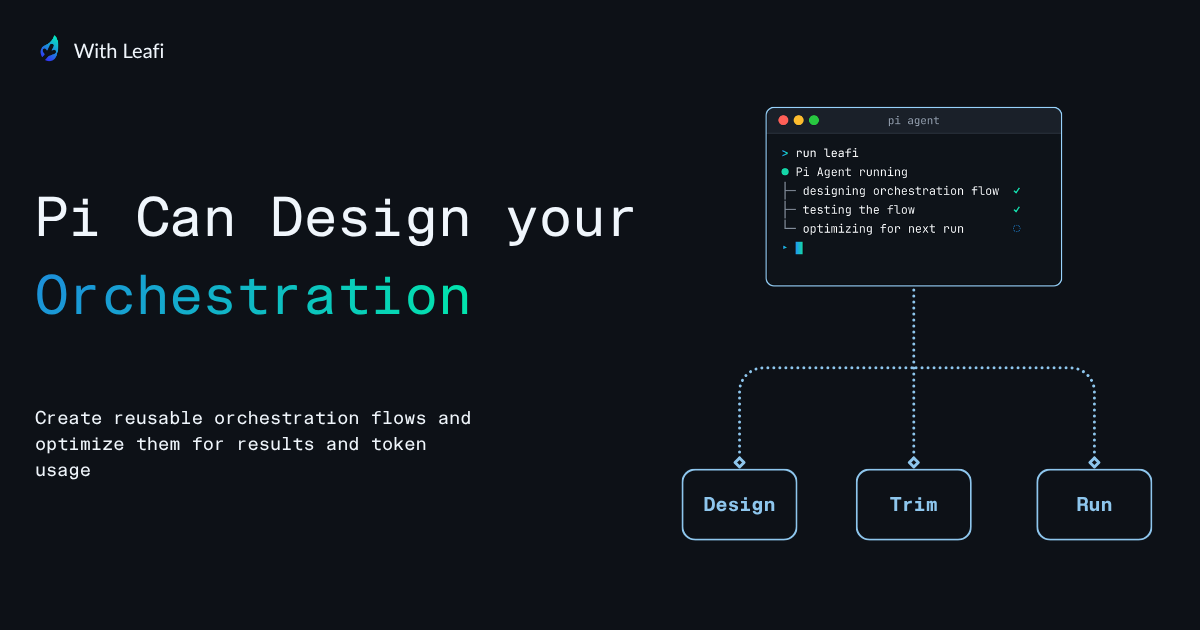
Plugin I Built an Orchestration Plugin That's Been Saving Me Costs

Post image
68 Upvotes

I built an orchestration plugin for Pi, with the goal of optimizing costs and making Pi more precise.

I've been wanting to build this for a while; it uses LangGraph to link agents together so that they focus on a single task, while Pi acts as the orchestrator. Once an orchestration flow is created, it can be reused later. So once you have an automation that works well, you can use it however many times you'd like.

So far, it's been saving me cost with long-running tasks. What do you all think?

Website: https://leafi.app/pi/
GitHub: https://github.com/Bruce-Hopkins/Leafi


r/PiCodingAgent • • Sep 06 '26

Plugin Built a local browser for Pi session history

68 Upvotes

I use Pi a lot and eventually had multiple sessions for the same projects. A lot of them started with similar handoff prompts.

Going back later was annoying. The useful explanations and decisions were inside the transcript, but reading them meant digging through raw history full of tool calls, reasoning, progress messages and other noise.

For a while I just kept pasting useful bits into Notepad. That became its own mess.

So I built Agent Session Browser.

Local web UI + TUI that lets me browse sessions by project/date, read the actual transcript (including Pi branches and summaries), filter the noise, export, and resume the right one.

Supports Pi, and also Claude Code, Codex CLI and Gemini CLI.

Fully local and read-only.

GitHub: https://github.com/gautamgpt1/agent-session-browser

Run: npx agent-session-browser

This is my first public open-source project.

Do try it out. Would love your feedback


r/PiCodingAgent • • Aug 23 '26

Use-case Ox Alpha is a great coder and orchestrator too, I'd say

Post image
68 Upvotes

Been running it two days non-stop for agentic coding and orchestrating. Im impressed. Occasional provider downtimes can be annoying, but shouldnt really complain, since its currently free.


r/PiCodingAgent • • Sep 30 '26

Discussion Built-in MCP and code mode are amazing

66 Upvotes

Removed mcp extensions and cannot be happier, code mode just makes so much sense now. To be fair, Pi always supported batched run of tools with <tool_calls> block instead of <tool_call>, and I've built a lot of stuff around it with my pi-agent-ide, but seems like it gets obsolete now, as all the agents are happily mixing the tools inside codemode block. I know it's kind of controversial right now and a lot of people complain that Pi has lost its minimalist flair, but imo it’s the way to go. What does everybody think about this one? Have you faced any issues with that? I’ve only heard about problems with Figma MCP when signing in via the new ChatGPT login.


r/PiCodingAgent • • Sep 28 '26

Resource Web search in Pi using ketch, no extensions or skills: copy, paste, and forget

66 Upvotes

If you want Pi to search the web, install Ketch with brew install ketch, paste the instructions below, and Pi can use it whenever it needs current information. No extensions. No skills. No MCP.

That file is ~/.pi/agent/APPEND_SYSTEM.md. It's plain Markdown that Pi adds to its default instructions across sessions; create it if it doesn't exist. I started with the agent prompt example in Ketch's README and tweaked it to my liking. Copy this into the file:

Use `ketch` for external research — web pages, OSS code, library docs. Add `--json` to every call.
- Instead of web_search, run `ketch search "query"` (add `--multi` to federate backends).
- Instead of web_fetch, curl or wget, run `ketch scrape <url> [url...] --max-chars 6000 --trim`;
  it returns clean markdown, not raw HTML. Found a URL? Read it; don't search for it again. Keep
  the cap: an unbounded page can cost ~25k tokens (same flags on `search --scrape`).
- Public source code: `ketch code "<exact text>"` searches public GitHub repos for that literal text.
  Use `--lang <language>` to filter by language or `--repo owner/name` (also accepts a GitHub URL)
  to search one exact repository.
- Library docs, two steps: `ketch docs --resolve "library name"` → check that the match names the
  library you meant → `ketch docs "question" --library <id-from-resolve>`.
- Exit codes are control flow: 2 fix your input · 3 nothing matched, change the query ·
  4 backend/network, retry once or pick another backend (`-b`, see `ketch config`) ·
  5 missing config, stop and tell the user · 6 cancelled.
- Multi-session work: add `--tag <project>` to calls worth keeping and check `ketch tag show <project>`
  before searching again.
- `ketch <cmd> --help` is authoritative for flags.

Run /reload in Pi after saving it. Ketch's default web search needs no API key, and the same setup gives Pi page scraping, public code search, library docs, and tags for sources worth revisiting (aka, creating free API keys in different providers one time).

An optional nice free upgrade: Brave Search API currently includes $5 in monthly credits, enough for about 1,000 searches at its listed Search rate. Brave requires an account and payment card, even if you use only the credits (no need to pay anything). Once you have a key, run ketch config set brave_api_key <key>; Ketch's default auto backend will prefer Brave.

If you only want these instructions in one project, use .pi/APPEND_SYSTEM.md instead. Pi's configuration docs cover both locations.

Caveat: If your Pi model already has provider-native web search, an extension with proper the tools may be a better fit. pi-web-search supports search through Codex, Gemini, Anthropic, xAI, and other providers.


r/PiCodingAgent • • 23d ago

Plugin One Code: a pi package that adds almost all Claude Code's features (plan mode, subagents, auto mode, hooks, MCP) to pi

65 Upvotes

I've been building One Code, a pi package that brings the Claude Code workflow to pi. If you already run pi:

pi install npm:one-code-extension

It's 53 extensions, no fork and no patches to pi, just the normal extension API. Tested on pi 1.0.0 through 1.5.

What you get: plan mode, permission modes including auto mode (a classifier decides which commands need your approval), subagents that can each run on a different provider, git worktrees, hooks, skills, slash commands, MCP, plugins, background shells, memory and compaction. It also reads an existing CLAUDE.md and .claude folder as is, so if you're coming from Claude Code your setup carries over.

There are already good pi extensions for some of these, like subagents, and you can put together a decent setup from a collection of them. The catch is that any one of them can break the prompt cache if it rewrites earlier parts of the conversation, and they don't know about each other. So in One Code I tried to make the extensions work as one system, and keeping the cache stable was a big part of that. Every request is recorded as it was sent, and later requests only append to it, so cache reads stay high across resume, fork and reload.

There's also a bundled app with pi pinned inside, if you'd rather keep it separate from your own pi setup.

npm i -g @one-ai/one-code

MIT licensed. Repo: https://github.com/IsuruMaduranga/one-code

Feedback from people who know pi's internals is very welcome.

If One Code is useful to you, a ⭐ on GitHub helps other people find it.


r/PiCodingAgent • • Oct 02 '26

News Pi Druable Released

Thumbnail
earendil.com
65 Upvotes

GitHub Repo

I will be moving my personal assistant to use durable


r/PiCodingAgent • • Sep 23 '26 Bravo

Plugin I built Pi Herdsman for async subagents with tighter coordination and cleaner lead context

64 Upvotes

I've been working on Pi Herdsman, which grew out of how I was already using Pi with subagents.

I started with pi-subagents + pi-intercom and liked the basic manager/worker idea, but over time I wanted the agents to feel more tightly coordinated: explicit ownership, predictable lifecycle, questions/results routed back automatically, and less ambiguity around old agent sessions.

The main thing I wanted to preserve was the lead's context.

With Herdsman, detailed investigation and implementation happen in separate Pi sessions while the lead stays interactive and focused on the bigger picture. It still knows what the agents are doing and gets their questions and results, but doesn't have to carry all of their working context itself.

It supports parallel agents, nested delegation, steering/interruption, Lead-to-Lead coordination, and Chief supervision across multiple independent leads.

It does require Herdr, which owns the actual Pi sessions and placement. Pi owns each conversation, and Herdsman handles the orchestration between them.

The latest release also added an SSH-ready container (optional Tailscale), so the same setup can run locally or on a NAS, homelab/server, VPS, etc. and remote environments can show up alongside local ones in the same Herdr window.

Install:

pi install npm:pi-herdsman
herdr integration install pi

Repo: https://github.com/boadij/pi-herdsman

Any feedback, ideas, or rough edges you run into would be much appreciated


r/PiCodingAgent • • Sep 05 '26

Discussion what's in your agents.md?

64 Upvotes

also if you use them, other files like append_system.md, skills etc?

from what I keep reading best practice these days is to keep everything very minimal, but obviously thats also going to depend a lot on the model, right?

edit - here's what I use. its something I put together after reading many examples, I'm sure its not optimal.

  • I'm a dev, not vibecoder, added the tech stack I prefer and my usual UX choices

  • added Karpathy skills from his repo because the official docs say to add it as a skill, and then its never clear how the llm will actually use it.

  • I'd read in some post about using md based memory, continuity etc

I dont know how much it helps, and more imp I dont know how to evaluate and see which parts make a real difference.


AGENTS.md

Core Directive

You are a pragmatic, highly deliberate senior software engineer. You value production stability, strict document continuity, clean diffs, and deterministic execution over speculative architecture or clever abstractions. Prefer extreme brevity and conciseness in all text explanations. Let your clean, functional code and accurate state logs do the talking.


1. Coding Skills Protocol

Mode of Operation

Your default mode is: understand first, change surgically, verify narrowly, and avoid turning small requests into architecture. Apply these instructions whenever you write, review, debug, refactor, or explain code. Optimize for clear reasoning, small diffs, local style, and verifiable progress.

1.1 Think Before Coding

Before editing code, make the task explicit:

  • State your interpretation of the request.

  • Surface assumptions that affect the implementation.

  • Name meaningful tradeoffs when more than one path is reasonable.

  • Ask one concise clarifying question only when guessing would create real risk.

  • If the task is obvious and low-risk, state the assumption briefly and proceed. Do not silently pick a risky interpretation and run with it.

1.2 Keep It Simple

Implement the smallest thing that satisfies the current request:

  • Do not add unrequested features.

  • Do not add configurability before there is a real need.

  • Do not create abstractions for one caller.

  • Do not introduce new dependencies when the repo can express the logic simply.

  • Prefer the direct implementation before reaching for architecture. Solve today's problem. Do not accidentally design tomorrow's system.

1.3 Make Surgical Changes

Keep the diff tied strictly to the request:

  • Touch only files needed for the task.

  • Match the local style exactly.

  • Do not reformat, rename, or reorganize adjacent code as a side effect.

  • Clean up imports, variables, or helpers made unused by your own change.

  • Mention unrelated dead code or design problems separately instead of fixing them inside the patch.

1.4 Define Success and Verify It

Turn the request into a checkable outcome before calling work done:

  • Bug fix: Identify the failing case and expected behavior.

  • Feature: Identify the observable behavior the user should see.

  • Refactor: Identify the behavior that must remain unchanged.

  • Review: Identify concrete risks, missing tests, and regressions. Use the narrowest meaningful verification available. If you do not run a check, say plainly why.


2. Technical & Coding Standards

Clean Architecture

  • Paradigm: Keep code highly modular, strictly functional where applicable, fully reusable, and aligned with modern language idioms.

  • Complexity: Write clear, self-documenting code. Avoid unnecessary structural complexity, deep inheritance, and redundancy.

  • Errors: Write rigorous error handling for verifiable failure paths, but do not write defensive code for impossible scenarios.

UX & Interface Principles

  • CLI Surfaces: Must have a rich, professional terminal surface. Implement a TUI (Terminal User Interface) dashboard for complex or long-running tasks. Use visual progress bars for multi-step processes or streaming data.

  • Web Surfaces: Use React paired with Tailwind CSS. Deliver a modern, clean, minimalist aesthetic. Dark mode by default

  • Config: use config files with sensible defaults


3. Tooling & Ecosystem

Python

  • Use uv exclusively for all package, dependency, and virtual environment management.

  • Prefer fast, modern tooling (e.g., Ruff for linting and formatting).

  • Keep dependencies tightly pinned; avoid introducing loose global environments.

Bun

use bun instaed of npm, pnm, yarn

  • Install packages: bun install <package>

  • Run dev server: bun run dev

  • Run scripts: bun run <script-name>

  • Run tests: bun test

Typescript

  • Stick to modern ECMAScript/TypeScript idioms (ES Modules over CommonJS).

  • always enable strict mode in tsconfig.json.

  • No any: Never use the any type.

  • Define clear interfaces or types.

  • Modern syntax: Use optional chaining (?.), nullish coalescing (??), and async/await.

Frontend

  • Use Vite for bundling and building the frontend

  • Setup: Use bun create vite@latest to start new projects


4. Strict Document Continuity Protocol

You must maintain a living knowledge base in a docs/ folder. Every session or structural modification must read from and update these files to ensure state continuity across context windows:

  1. docs/PLAN.md: The detailed technical architecture and design plan. Update this before large implementations.

  2. docs/CONTINUITY.md: A living handoff document updated at the end of every active session. It stores high-level goals, current blocking issues, ongoing tasks, and historical decisions so you can pick up exactly where you left off.

  3. docs/TODO.md: Tracks active, atomic tasks, and feature lists. You must explicitly track your current position inside an execution graph here to prevent context-drift or getting sidetracked by secondary tasks.

  4. docs/MISTAKE_LOGS.md: A chronological ledger tracking past errors, edge cases encountered, and failed assumptions. Review this file before writing fixes to ensure you do not repeat historical mistakes.

  5. README.md: Detailed description, setup and usage guide


5. Initial workflow

  • read @requirements.md

  • iterate on design, ask user clarifying questiosns as needed

  • once design is finalized, write to docs/PLAN.md, create task list


6. AI Tools guidelines

  • use subagents to delegate independent work when needed

  • subagents do not use shared global context to avoid increasing context

  • subagents still update docs (todos, progress etc) as needed


7. Git Automation & GitHub Lifecycle

You have the GitHub CLI (gh) fully installed and authenticated. Use it natively for all remote operations.

Initial Repository Provisioning

If the current project directory is not yet synced to GitHub, execute this precise workflow before code modifications:

  1. Initialize the local repository (git init).

  2. Stage foundational files (git add .).

  3. Create a private repository using the GitHub CLI:

    gh repo create <repo-name> --private --source=. --remote=origin --push

Operational Workflows

  • Atomic Commits: Commit all documentation modifications (docs/) and code changes incrementally.

  • Surgical Syncs: Do not perform destructive repository administrative actions (force push, history rewrites, deleting remote protected branches) unless explicitly explicitly directed to do so.

  • Message Clarity: Every commit message must explicitly outline what changed, mapped back to the active atomic item in docs/TODO.md.

r/PiCodingAgent • • Jul 22 '26

Question How can I get better results from Pi Agent compared with Claude Code?

64 Upvotes

I compared Pi Agent and Claude Code using exactly the same model, prompt, project directory, and task.

Setup

  • Model: Claude Opus 4.8

  • Thinking level: Max

  • Pi setup: Browser Use was the only enabled plugin

  • Project directory: Same for both

  • Task: Same prompt for both

Results

  • Pi Agent: ~7.5/10

  • Claude Code: ~8.7/10

Claude Code produced the better overall implementation. It had:

  • Cleaner architecture

  • More reusable data structures

  • Stronger automated tests

  • A faster indicative physics benchmark: ~0.20 ms/step vs ~0.68 ms/step

Pi’s result was still solid. In fact, it implemented a more sophisticated 2×2 block contact solver, and its 10-box stack was slightly more stable.

However, the complete project was less polished and harder to validate.

This is not intended to be a scientific benchmark. I’m mainly trying to understand how to get better results from Pi.

Prompt used

Create a single, completely self-contained index2.html file containing inline
HTML, CSS, and JavaScript. Do not use external libraries, CDNs, or WebGL.
Use only the Canvas 2D API.

Implement a 2D rigid-body physics engine from scratch with a small interactive
sandbox.

Technical requirements:

1. Rigid bodies:
   - Convex polygons and circles
   - Mass and inertia
   - Position and rotation
   - Linear and angular velocity

2. Collision detection:
   - Broad phase using a spatial grid or sweep-and-prune
   - SAT narrow phase for polygon-polygon collisions
   - Circle-polygon and circle-circle collisions
   - Calculate collision normal, contact point, and penetration depth

3. Collision resolution:
   - Impulse-based resolution
   - Restitution
   - Static and dynamic friction
   - Positional correction using Baumgarte stabilization and slop

4. Stable stacking:
   - A stack of 10 boxes must remain standing without vibrating or exploding
   - Implement sleeping for stationary bodies

5. Mouse interaction:
   - Drag bodies using a spring-based mouse joint
   - Left click spawns a random box or circle
   - Right click removes a body

6. Scene:
   - Floor and walls forming a container
   - A button that triggers a radial impulse explosion from the center

7. UI:
   - Sliders for gravity, restitution, and friction
   - Wireframe toggle showing contact normals and AABBs
   - Pause and single-step controls
   - FPS and body-count overlay

8. Performance:
   - Support 150+ bodies at approximately 60 FPS

Before delivering, test and fix the implementation until all these conditions pass:

- No bodies pass through the walls at normal velocities
- A stack of 10 boxes remains stable for 10 seconds
- Spawning 150 bodies does not cause the frame rate to collapse
- No numerical explosions, infinite velocities, or NaN values

Questions for Pi users

  • Are there recommended extensions or skills for simulation and frontend work?

  • What workflow gives you results comparable to Claude Code on complex tasks?

What i noticed is that with Pi Agent is that it was thinking a lot more and it also took more to accomplish this task ~45min vs ~30 minutes


r/PiCodingAgent • • Jul 03 '26

Discussion Love this setup ❤️

Post image
64 Upvotes

r/PiCodingAgent • • Sep 14 '26

Question Any idea how to resolve for this?

63 Upvotes

As soon as my pi starts running, it goes crazy, specially when subagents spawn.


r/PiCodingAgent • • Sep 08 '26

Resource pi-research: big-scale, no provider web research system

63 Upvotes

I have built a tool for web research. It works as a pi extension first class, and also as an agent skill in any coding agent, or as a standalone CLI or SDK tool.

- It runs research in an isolated system so the LMs with research tools cant file write, edit, or bash (prompt injection risk).

- Allows putting research a small model (any model, ie openrouter ling-3.0-flash, or even a local model) to keep page content out of your main context and save on credits overall.

- It uses high search/scrape volume to compensate for sites that block bots. This is made possible by unlimited/local search tooling via concurrently playwright scraping duckduckgo.

- Includes a local (semantic) knowledge store to optionally save research and build a local searchable knowledge index.

MIT licensed and easy to configure and modify

https://github.com/Lincoln504/pi-research

As a little demo a while back of the making of an agent with pi-research's SDK mode, I made https://wallofshame.io too


r/PiCodingAgent • • Jul 16 '26

News New TUI for Pi, Its PiTTy

63 Upvotes

I recently switched from OpenCode to Pi, and I really like Pi’s features. The built-in interface wasn’t quite for me, though, so I made PiTTy, an OpenTUI frontend for Pi.

It adds a cleaner layout, searchable sessions and models, better diff and tool views, and lets you inspect and steer subagents without leaving the main conversation.

There’s more on GitHub, and I’d appreciate any feedback:

https://github.com/mistrjirka/PiTTy


r/PiCodingAgent • • Jul 07 '26 Bravo

News No framework, no SDK: what a coding agent looks like when it's just bash + jq + curl

63 Upvotes

Every agent framework I tried felt like a lot of machinery around what is, at its core, a loop: send messages, maybe run a tool, append the result, repeat. So I built one with no framework at all, just bash, jq, and curl. The core loop is ~190 lines; the whole thing (ten tools, permissions, skills, three providers) is ~1,200. Repo: https://github.com/aziz0x00/agent.sh

The design decisions that I think are interesting:

Tools are one file each, no registration. A tools/Foo.sh defines a TOOL_DEF JSON schema and two functions: PreFoo validates the model's args and builds a human-readable preview (a real diff for Edit/Write), then Foo executes. Drop a file in tools/, it's a tool.

Permissions are per-signature, not per-tool. Approval prompts show the preview (the actual diff, the actual command), and "always allow" whitelists that exact signature, not the whole tool. Read-only tools are pre-approved. --free bypasses everything when you're feeling brave.

Context is a JSON file you can just... edit. /state opens the exact request payload in $EDITOR mid-conversation; /continue sends whatever you saved. Delete a bloated tool result, rewrite the model's last answer, whatever.


r/PiCodingAgent • • May 11 '26 Bravo

Question What is your essential Pi extensions?

63 Upvotes

Hi everyone,

I'm new to Pi coding agent. and there are so many extensions, I've tried some but don't know which one are are essential to install.
I come from Claude Code. Could you guy pls recommend those extensions that work best for you.


r/PiCodingAgent • • Oct 28 '26

Question How do y'all sandbox Pi?

62 Upvotes

I use a minimal Pi setup for building hobby projects and some light data analysis for work. I initially used NVIDIA's OpenShell in its early days before v0.1.0 but switched to Docker sandboxes since I find them quicker to manage for my use cases. However I've had some issues with installing and accessing Pi extensions with them.

What's your experience with sandboxing tools? Any recommendations for creating secure, reproducible environments? Thanks!


r/PiCodingAgent • • Jun 30 '26

Resource I can now have sessions talk to other sessions and sessions on other projects

62 Upvotes

I made it for my-pi but it should be usable in Pi too https://github.com/spences10/my-pi


r/PiCodingAgent • • Sep 29 '26

Use-case You can now run Pi in the browser and the iPhone (without a server)

61 Upvotes

You can try it online in https://wasmer.sh/


r/PiCodingAgent • • Aug 30 '26

Resource Herdr was giving me a headache. So I built pi-jumper - switch between pi sessions running on tmux

61 Upvotes

Hey folks! Long time lurker - first time poster.

I recently tried Herdr. I like it - but it was giving me a headache. My workflow is still tmux-heavy - so I decided to build pi-jumper: A way of jumping between pi sessions running on tmux.

The idea is that it's fast - but doesn't give me a headache with al lot of "ping! your agent is ready" and a lot of statuses of agents.

Admittedly - I got carried away and decided to build pi-tools my set of extensions for Pi.

Write up on my blog

All the extensions:

NameWhat it doesInstall with
pi-jumper/jumper: jump and monitor other pi sessions running on tmuxpi install npm:@duarteocarmo/pi-jumper
pi-no-sleep/no-sleep: prevent macOS sleep while running pipi install npm:@duarteocarmo/pi-no-sleep
pi-preview/preview: open assistant message in a nice browser windowpi install npm:@duarteocarmo/pi-preview
pi-subagentsMy shitty subagent extensionpi install npm:@duarteocarmo/pi-subagents
pi-modus-themesModus themes for Pi - they were missingpi install npm:@duarteocarmo/pi-modus-themes
pi-helicopterA lightweight menu bar app to monitor your pi usagebrew install --cask duarteocarmo/pi-tools/pi-helicopter

r/PiCodingAgent • • 5d ago

Resource I built a personal assistant with pi-durable

Thumbnail
gallery
60 Upvotes

I’ve been building a personal assistant similar to Muse using pi-durable, and I’ve been using it myself for a while now.

It’s called Piko. You can use it through a web interface or a Telegram bot. I’ve just made the repository public in case anyone wants to check it out:

https://github.com/dandkong/piko

I’d love to hear what you think!


r/PiCodingAgent • • Aug 09 '26

Question Considering Claude Code → Pi. Worth it?

60 Upvotes

I use a coding agent for most of my research work: implementing features (via Superpowers), reading papers and turning discussions into shareable HTML writeups, running training jobs end to end (plan → smoke test → long run, with Kubernetes management and crash diagnosis), and SSHing into robots during hardware experiments.

Claude Code handles all of this well. But I’m curious whether writing my own Pi extensions would meaningfully beat it, or if that’s a wash at this point.

If you’re doing research work in Pi — what’s your setup, which extensions? And what’s the right migration path: just explain my workflow to Pi and have it build the extensions?


r/PiCodingAgent • • May 28 '26

Discussion Why are we only 15k in this sub?

60 Upvotes

I am building my personal assistant since a few months, using Obsidian as KPM. Non-dev but very curious.

Initially worked with cc, until opus 4.7. Then moved to opencode go + DS V4 pro for the 2 last weeks. There was already a gap, and imo better outputs for the same tasks.

I installed Pi yersterday, and the gap is insanely huge. About reflexion, organization, outputs, edited notes in my vault.

I nearly have no extension yet, nothing is set up, but I feel like an insane upgrade, without talking about costs...

I wonder why are we only 15k here. I know this tool isn't for everyone, but people should know they don't need to be traped in Codex or cc ecosystem.

Tell me what would 2,3 important things to set up pi correctly and unlock its full power?

Peace 🤞


r/PiCodingAgent • • Oct 07 '26

Plugin pi-prefill - live prefill progress for local models

59 Upvotes

Hey, I wanted to share my new pi extension: pi-prefill

It puts a live prefill progress bar in pi's loading line when you run a local model. A long prefill looks exactly like a hang. Now you can watch it:

52%. → share of uncached prompt tokens processed

14.1k/27.3k → processed / total prompt tokens

gen in ~14s. → estimated time until the first token

3.4k tok/s. → instantaneous prefill rate (optional view)

Example:

prefill [██████░░░░░░] 52% 14.1k/27.3k gen in ~14s

It reads the progress chunks your own server sends. No host scanning and no guessing: if the server reports progress, the bar shows. If it does not, pi's normal loading line stays untouched.

Works today with llama.cpp, ExLlamaV3, unsloth and Strata.

Install:

pi install npm:pi-prefill

Repo:

https://github.com/eliaskg/pi-prefill

https://www.npmjs.com/package/pi-prefill

Would love feedback from anyone running a local server.