r/OpenPythonSCAD • • Nov 04 '24

PythonSCAD will get a new spline function

3 Upvotes

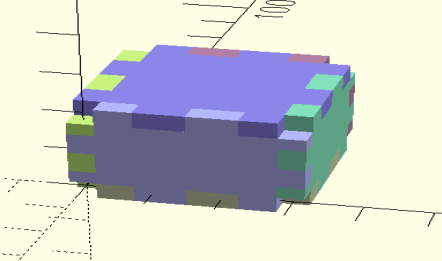
This is a 1st outlook of the new PythonSCAD Spline funciton.

Given some set of defining points, the function will create an organic curve all around them.

Internally the function is placing arc of an ellipse between the points. Now looking into concave corners which

will require an extra step.


r/OpenPythonSCAD • • Dec 01 '24

Gcodepreview now writes out DXFs using "plain" Python

Thumbnail
github.com
2 Upvotes

r/OpenPythonSCAD • • Dec 11 '24

editor support?

3 Upvotes

Is there a way to get auto-completions to work in my editor? Usually I'd just activate a VM and pip install a package, but you're... packaging your own Python?


r/OpenPythonSCAD • • Feb 16 '25

Newb question: are there openscad modules for native Python, or does everything work by emitting OpenSCAD scripts and passing them to OpenSCAD?

4 Upvotes

In other words can I do something like this:

from OpenSCAD import *

model = difference(cube(5, center=True), sphere(r=2.5))
exportStl(model, open("foo.stl", "w"))

or am I always going to be spitting out a "foo.scad" file and then launching OpenSCAD from the command line to render it?


I guess part 2 of the question is: either way, which Python library should I be using? Searching for «python openscad» returned quite a lot of results.


r/OpenPythonSCAD • • Dec 29 '24

Strategies for programming complex projects

2 Upvotes

For various reasons this can be challenging. Wrote up a bit in the wiki, and there have been some other discussions/issues such as:

https://github.com/gsohler/openscad/issues/57

Thoughts on best practices and techniques and so forth?


r/OpenPythonSCAD • • Oct 26 '24

Getting /r/pythonscad unbanned

3 Upvotes

Received another automated e-mail on this:

We're experiencing higher than usual support volume, but want to let you know that we have received your message. If we need to follow up with you, we'll message you here.


r/OpenPythonSCAD • • Jan 23 '25

Are there better ways of centering a shape in PythonSCAD?

2 Upvotes

I asked about built-in ways to center a shape in OpenSCAD: https://www.reddit.com/r/openscad/comments/1i7vg45/any_protip_on_centering_an_imported_stl_in/m8oxcak/

The TLDR: I can toggle on OpenSCAD logging for bounding box coordinates. Use that as a translation vector to move shapes' center to origin.

It's still repetitive if I want centers of faces of STLs I import. But at least with PythonSCAD, I can save them as handles and use align() :)

Out of curiosity: Are there better ways to do this in PythonSCAD that isn't as repetitive?


r/OpenPythonSCAD • • Nov 29 '24

Python is radians, OpenSCAD is degrees --- how to resolve?

4 Upvotes

I have some OpenSCAD code which uses various trigonometric functions to determine coordinates.

I made some notes on this on the wiki, and managed to work through this at one point I believe, but I'm stymied working up a general approach...

Is there a version of:

import math

which works in degrees rather than radians?


r/OpenPythonSCAD • • Jan 02 '25

Using CadQuery features in your design

7 Upvotes

OpenSCAD is very versatile. PythonSCAD has some added features and another language, for those,

who prefer. Lately its even possible to leverage from powerful librraries like BOSL2.

But there might still be cases where you want to use CadQueries abilities instead. Build123d is a beautiful python layer on top of OCCT. Build123d and CadQuery share same the same OCCT kernel

You can easily mix it into your PythonSCAD code.

just "decorate" your build123d functions in your design accordingly.

Use this simple code .with any version from 20250102 ....

from openscad import *
from pybuild123d import *
from build123d import *

@build123d  
def build123d_demo():
    with BuildPart() as demo:
        Cylinder(radius=10, height=3)
        with BuildSketch(demo.faces().sort_by(Axis.Z)[-1]):
            RegularPolygon(radius=7, side_count=6)
            Circle(radius=4, mode=Mode.SUBTRACT)
        extrude(amount=2, mode=Mode.ADD)
        fillet(
            demo.edges()
            .filter_by(GeomType.CIRCLE)
            .sort_by(SortBy.RADIUS)[-2:]
            .sort_by(Axis.Z)[-1],
            radius=1,
        )
    return demo        
obj = build123d_demo()
obj |= cylinder(d=3,h=20,fn=20)
obj.show()

r/OpenPythonSCAD • • Oct 12 '24

Anyone else trying to develop Python libraries in PythonSCAD?

2 Upvotes

In addition to needing to delete .pyc files, I've been finding it necessary to quite the app and reload so as to get an edited version of a library to show up --- is that expected behaviour?


r/OpenPythonSCAD • • Oct 06 '24

/r/pythonscad was banned, so made this new group

3 Upvotes

The wiki has been re-created --- let me know if anything else was missed.

Settings are a bit more restrictive, since the ostensible reason for the banning was spam --- if you wish to post or edit the wiki, let me know and we'll look into how it can be handled.


r/OpenPythonSCAD • • Oct 17 '25

New Version 2025-10-17 available

4 Upvotes

Finally after almost one month there is a new windows installer available.

Improvements since last time are

* the ability to specify command line options with -D

* rotate got a "ref" paramter to change the center of rotation (rotate can also performed by % operator now)

* improve acceptance of STEP export

* improved bbox function (Thank you NoMike)

* internal cleanup/fixes .

But as usual., also the innovations from OpenSCAD like improved measurement are inherited.


r/OpenPythonSCAD • • Nov 18 '25

Colored render in 2D

5 Upvotes

It took quite some time to mature, but now its there:

PythonSCAD can render in color since today like this:

The Options appear limitless . The colors in an SVG are not determined by export options, but

really from the script. This opens yet more options for people who work wirh laser cutters.

Also it can become way more tasty to combine SVG with rotate_extrude like here:

All that is available since todays 2025-11-18 Version.

What will *you* do next ?


r/OpenPythonSCAD • • Jul 18 '25

Colorful geodesic sphere in PythonSCAD

4 Upvotes

Our Ancestor was able to create individually colored faces almost immediately after it got manifold.

No idea, why this feature was not yet accesisble to the user. Lets do it now - add a colors argument to polyhedron and make something nice out of it.

colors must be a list of RGB vectors, and it must match the faces size.

Source code is available here at https://bpa.st/TL5A

Lets keep the concept of Polygon "Generators"

This finally enables us to create colored and textures even with a height map. Look forward to see libraries and complete scenes soon.


r/OpenPythonSCAD • • Mar 27 '25

Dragging and moving Objects in PythonSCAD

5 Upvotes

These days PythonSCAD starts to become even more interactive.

Now you can drag edges and move them around with your mouse tip like so:

https://www.youtube.com/watch?v=9xBtzE5hhR4

In your code you have to mark values, which are enabled to be "draggable".

Right now this only works for cube() and rotate(), but many more to follow. my next goal is will be also update the source code after drag has finished.


r/OpenPythonSCAD • • Feb 16 '26

Open source 3D printed Channel letter slicer

Thumbnail reddit.com
2 Upvotes

r/OpenPythonSCAD • • Jan 25 '26

Creating LaserCuts with PythonSCAD

5 Upvotes

Something which PythonSCAD did not yet touch is lasercuts.

Plywood mostly acts as an objects surface for DIY lasercut art, so PythonSCAD's faces()

function is a great location to start with, so I started codeing an utiliy library 'pylaser' for that. Also there were quite some improvements inside PythonSCAD for better 2D support.

E.g. now its even possible to alter polygons after they were created

Imagin you have this code:

'''

from openscad import *

from pylaser import *

b=cube([30,30,20])

f=b.faces()

lc = LaserCutter(b.faces())

#lc.preview()

lc.finalize()

...

Results are:

But this is just the tip of the ice-berg. My plan is beeing able to be way more liberal and not having to stick to the faces() function, but also create my own compositions. Many Ideas yet to implement

Ideas welcome!


r/OpenPythonSCAD • • Nov 29 '25

Improved 2D Workflow

3 Upvotes

One important missing key feature is in place now and it works great:

Align is now also supported r 2D Objects:

Why not starting with a soccer ball ?

And PythonSCAD's access to the points enables easy conversion to PostScript of Gcode for your laser cutter.

Juist today I have uploaded an updated windows Version.

Enjoy!


r/OpenPythonSCAD • • Feb 27 '26

Creating jjigsaw puzzles for easter

5 Upvotes

Ain't Lasercutter perfect for puzzles ? they can do the PIcture and the cuting.

Thanks to the spline and random function, PythonSCAD can create unique puzzle on each

run. Code can be found here:

https://bpa.st/DRUQ

I just used a nice SVG file which can easily be found in the internet

Production in the printer is actually way easier. its illustrated here:

Let's get ready for easter


r/OpenPythonSCAD • • Jun 14 '25

BOSL2: How to convert a prismoid model to PythonScad?

2 Upvotes

Hi everyone,
I'm trying to convert the following OpenSCAD code (using BOSL2) to PythonScad, and I'm not sure how to translate some of the features, particularly the prismoid function and the edge_profile/attach constructs.

Here's the code:

scadCopyEditprismoid(
  size1=base, 
  size2=top, 
  h=height, 
  anchor=FRONT+LEFT+BOT,
  rounding1=[2.5,2.5,2.5,2.5],
  rounding2=[0.5,0.5,0.5,0.5],
){
  edge_profile([BOT], excess=10, convexity=20) {
    mask2d_roundover(h=5,mask_angle=$edge_angle);
  }

  edge_profile([TOP], excess=10, convexity=20) {
    mask2d_roundover(h=0.5, mask_angle=$edge_angle);
  }

  // Side Details
  attach(LEFT, LEFT, inside=true, shiftout=12.5)
  cylinder(d1=10,d2=15,h=25);
  
  attach(RIGHT, RIGHT, inside=true, shiftout=12.5)
  cylinder(d1=10,d2=15,h=25);

  // Hole
  attach(TOP, TOP, inside=true, align=RIGHT+BACK, shiftout=-1.5)
  yrot(90) move([0.5,0,-10]) Hole();
  
  align(TOP+FWD+RIGHT, inside=true, shiftout=-2.5)
  yrot(90) move([-0.5,0,10]) Hole();
}

Has anyone tackled similar conversions? Any advice or examples would be much appreciated!


r/OpenPythonSCAD • • Jul 16 '26

PythonSCAD v1.1.2 "Prominentio" released

9 Upvotes

You can find this announcement also on our website.

Hi everyone,

We are happy to announce PythonSCAD v1.1.2 "Prominentio" (*).

With so much going on since the last release, it's hard to decide what to write about first.

This release adds a number of nice features to the Python API like the new organic() mesh feature, which connects a cloud of points into a smooth, watertight organic surface. There are improvements to the MultiToolExporter (which we introduced in the previous release), which now allows exporting multiple objects into a single .3mf file. This is great for multi-tool printing! .mesh() now has an option to also export color information.

We are now publishing pre-built binary wheels to PyPI, which means you can now just do pip install pythonscad or add pythonscad to your project's dependencies and in mere seconds use it directly in your projects.

One new feature we're particularly excited about is that you can now try PythonSCAD in your browser. This is powered by a Python-enabled WebAssembly version, which you can integrate into your own web-based projects as well.

Last but not least we've done a ton of behind-the-scenes fixes, improvements to our website and build system. The Windows installer has been massively overhauled and now supports installing PythonSCAD without requiring administrative privileges.

(*) We tried releasing v1.1.0 and v1.1.1 within the last few days, but since then learned that the new Python wheel builds were failing and we needed a few days to address that issue. Thus we decided to pull those version from the shelves again so we can address that issue and release it with v1.1.2.

Release name

As you might have noticed, we started to introduce release code names for major and minor releases with the previous release (v1.0.0). We use those during development as the next version number is not always clear due to semantic versioning.

As a general theme for that, we chose terms in relation to 3D printing but loosely or directly translated to Latin.

v1.0.0 was called "Impletio" which translates to infill.

This release is called "Prominentio" which means overhang.

Python API

rounded_cube()

The pythonscad module now includes a rounded_cube() helper (PR #738). It supports either radius (r) or diameter (d) style rounding, matching the style of existing OpenSCAD-like APIs.

from pythonscad import *

show(rounded_cube([40, 20, 8], r=2, center=True))

Single-file multi-tool 3MF export

MultiToolExporter can now export a single multi-part 3MF file (PR #831, PR #832). This is useful for multi-color and multi-material workflows where you want one file containing multiple named parts instead of a pile of separate files.

from pythonscad import *

exporter = MultiToolExporter()
exporter.append(("body", cube([40, 20, 8]).color("blue")))
exporter.append(("label", text("Py").linear_extrude(1).color("white")))

export(dict(exporter.parts()), "multi-tool.3mf")

Mesh color output

Meshes can now output color information (commit 01b2d6b), improving workflows that depend on colored geometry data during export or downstream processing.

from pythonscad import *

c=cube(10).color("pink")

# extract colored mesh information
vertices, triangles, colors, color_indices = c.mesh(color=True)

Virtual environment fixes

PythonSCAD now preserves the correct base executable when creating nested virtual environments from the bundled Python shim or from the GUI's Create Virtual Environment action (PR #873). This avoids ensurepip accidentally running through the PythonSCAD application option parser.

WebAssembly And Browser Support

PythonSCAD in the browser

This release adds a Python-enabled WebAssembly build based on Emscripten 6.0 and CPython 3.14 (PR #697, PR #777). That means PythonSCAD can run Python design code in a browser environment.

In-browser playground and notebook UI

There is now an in-browser playground with notebook-style UI and website integration (PR #800). This should make it much easier to try PythonSCAD without installing a desktop application first.

UI And Workflow Improvements

Bug report form

The GUI now includes a form-based bug report template and Help menu action (PR #751), making it easier to file useful reports with the right information attached.

Customizer behavior

Customizer text fields now defer preview updates until committed (PR #830), avoiding excessive preview refreshes while typing. Recent customizer values are also handled more reliably (PR #720).

External editor fixes

Launching gvim as an external editor is now more reliable (PR #806), and macOS tooltips now use Cmd instead of Ctrl where appropriate (commits 4936618, 5ab9d3b).

Platform And Packaging

Binary PyPI wheels

PythonSCAD is now much easier to install from PyPI (PR #744). Instead of building the full application stack locally during pip install, supported platforms can use pre-built binary wheels.

python -m venv venv
source venv/bin/activate  # On Windows: venv\Scripts\activate
pip install pythonscad

This is a big step toward making PythonSCAD practical for automated model generation, CI pipelines, scripted exports, and small self-contained design projects.

Windows and macOS packaging improvements

The Windows and macOS packages now bundle IPython 9.x support with fixes for runtime dependency handling (PR #746, PR #792). Windows native packaging also gained fixes around the Python import library and CMake policy handling (PR #764).

Several late Windows packaging fixes make the packaged Python runtime more reliable: --repl and --ipython now find the bundled stdlib and native modules correctly, CPython sysconfig is initialized for packaged MSYS2 builds, and installer upgrades no longer report a false "Uninstall failed" result (PR #851, PR #860, PR #864, PR #866).

On macOS, bundled Python native extensions are now signed for notarization (PR #775).

AppImage and Linux package fixes

The release builds now cover AppImage, Debian/Ubuntu packages, RPM packages, PyPI wheels, WebAssembly, macOS, and Windows. Several CI and packaging fixes landed in this release, including OpenSSL development dependencies for Linux package builds (PR #846, PR #848).

AppImages now bundle the GMP runtime library and isolate more of their runtime environment from host libraries, including GIO modules and the Qt6 GTK platform theme path (PR #856, PR #857, PR #858).

Release smoke tests

v1.1.2 also adds automated release smoke tooling for AppImage, Linux package, macOS, and Windows artifacts (PR #870). The smoke checks cover application startup, .scad export, Python CLI export, REPL startup, and IPython startup, with follow-up fixes for local Windows artifact testing and Linux package artifact handling (PR #869, PR #872, PR #875).

Reliability And Bug Fixes

v1.1.2 includes many fixes across Python integration, geometry behavior, CI, and documentation:

  • resize() now accepts 1-3 element vectors from Python (PR #749).

  • nimport() works better on Windows and reports errors more clearly (PR #729).

  • Python script import paths are refreshed correctly on reinitialization (PR #843).

  • A segfault when cloning nodes for children() was fixed (PR #785).

  • Unsafe fillet topology is now reported more clearly (PR #809).

  • assert now emits a warning instead of hard-asserting (PR #810).

  • SVG/WebAssembly build issues were fixed, including compiling the SVG target with -fPIC for web builds (PR #798).

  • 3MF metadata is now XML-escaped correctly when exporting through the lib3mf v1 path, pulled in from the July 2026 OpenSCAD sync (PR #867).

  • Function representation nodes are now included in node cloning, avoiding another edge case in cloned CSG trees (PR #865).

  • The homepage and download UX were refreshed (PR #752).

Downloads

Pre-built packages are available for Linux, macOS, Windows, WebAssembly/browser use, and PyPI:

https://pythonscad.org/downloads/

As always, feedback, bug reports, and example projects are very welcome.


r/OpenPythonSCAD • • Mar 04 '26

How to make a pyramid with linear_extrude?

3 Upvotes

Google tells me that this should work:

pyr = linear_extrude(square(10, center=True), height=10, scale=0) 
show(pyr)

but it produces a cube? What is the solution?

BTW, I can't find the documentation of linear_extrude parameters. Is there a better documentation source than https://old.reddit.com/r/openpythonscad/wiki/index ?


r/OpenPythonSCAD • • May 23 '25

Turn off code eval as you type?

4 Upvotes

Is there a way to turn off code evaluation as you type, and let it only evaluation when you save (a la "classic" OpenSCAD)? I have suffered a few occasions where some invalid code just crashes PythonSCAD, and I lose a few lines of unsaved code. I've poked around the various settings without luck, but I am very new with PythonSCAD - any guidance would be appreciated! I'm running 2025.04.02 on Kubuntu 24.04.


r/OpenPythonSCAD • • Mar 08 '26

PythonSCAD v0.17.0 Released

7 Upvotes

Hi everyone,

There have been many releases in the past few months with smaller or bigger updates and fixes. We're now experimenting with posting release announcements from now on with every new release. This should help you follow along with the progress of the project.

Please let us know what you think!

So without further ado we're happy to announce the release of PythonSCAD v0.17.0! Here's what's new:

OpenSCAD Render Variables Now Available in Python

All OpenSCAD render variables are now accessible in PythonSCAD as well. This includes $t (animation time), $preview, $vpt (viewport translation), $vpr (viewport rotation), $vpd (viewport distance), and $vpf (viewport FOV). This brings PythonSCAD to full parity with OpenSCAD for animation and viewport-aware scripts.

Set Viewing Perspective from Python

You can now programmatically control the 3D viewport from Python code. The new setrender() function allows you to set the camera's viewing perspective directly from your scripts, making it easier to create reproducible views of your models. This is literally the opposite of above function. just type e.g. setrender(vpd=100)

New Window Opens with Python Tab

Previously, using File > New Window would open a new window with an "Untitled.scad" tab. Since PythonSCAD defaults to Python, this now correctly opens with an "Untitled.py" tab instead. (Fixes #472)

Code Quality: Static Analysis Cleanup

A thorough static analysis pass was run on src/python/ using cppcheck, resulting in several fixes:

  • Fixed a memory leak and two null pointer dereference bugs in the Python/C data layer

  • Removed ~30 unused variables (including a leaked PyUnicode_FromString allocation)

  • Replaced undefined-behavior type-punning with portable std::memcpy in FrepNode

  • Improved const correctness and fixed confusing shadow variable names

GCode Export Refactoring

The GCode export internals were refactored to pass options via a clean ExportGcodeOptions struct instead of individual parameters. Error handling was also improved -- unsupported geometry types now print descriptive error messages instead of crashing via assert(false).

Upstream Sync

PythonSCAD was synced with upstream OpenSCAD as of 2026-03-04, bringing in fixes for dock state initialization, manifold bumps, subtraction color for nefs, and Python GC improvements.

Up next

The next release is already taking shape. It will add proper documentation for the new setrender() function, which didn't make it in this one yet. There will be some fixes in regards to the light/dark themes and we're working on making PythonSCAD available on PyPi as well (which will allow you to use pythonscad as a dependency in your projects or just install it in a virtual env using pip). So stay tuned for more updates.

Downloads

Pre-built packages are available for Linux (AppImage, .deb for Debian/Ubuntu, .rpm for Fedora/RHEL), macOS (DMG), and Windows (installer and zip):

https://pythonscad.org/downloads/

As always, feedback and bug reports are welcome!


r/OpenPythonSCAD • • 5d ago Bravo

PythonSCAD v1.2.0 "Quadratum" released

8 Upvotes

Hi everyone,

We are happy to announce PythonSCAD v1.2.0 "Quadratum".

Four months and more than 750 commits after v1.1.2, this is our biggest release so far. The highlights:

  • patch() – a brand-new surface/solid construction primitive that builds geometry from a boundary plus holes (tube, panel and ring-bridge modes).

  • PyQt6 inside PythonSCAD – bundled PyQt6 bindings let your Python classes open their own interactive dialogs from the editor, and you can extend the GUI with your own forms.

  • Interactive dragging, reworked – drag rotate, scale and translate along their real paths, and drag the sizes of spheres, cylinders, cubes and polyhedra straight from the 3D view, with the code updated for you.

  • NumPy everywhere – NumPy arrays and tuples are accepted wherever lists are.

  • Better multi-object 3MF export, a new Export / Export as workflow, Customizer parameter containers and many more improvements.

Read on for the full list.

Release name

Following our tradition, release names are 3D-printing terms translated (loosely or directly) to Latin. v1.0.0 was "Impletio" (infill), v1.1 was "Prominentio" (overhang).

This release is called "Quadratum" which means "square".

Python API

New: patch()

patch() (formerly developed as a generalised loft()) builds surfaces and solids from an outer boundary and optional holes. Besides classic lofting it supports tangent-driven curvature and three modes – tube, panel and ring-bridge – and accepts 2D shapes as input (PR #1054, PR #950). patch(displacement=None) is accepted as well (PR #1146).

NumPy support across the API

NumPy arrays and tuples can now be passed wherever lists are accepted. New Vector1/Vector2/Vector3 and Matrix4x4 helper types are NumPy-backed when NumPy is installed and fall back to plain lists otherwise, so scripts work either way (PR #891, PR #916). See the NumPy support section in the math reference.

Customizer

Import and export

  • Multi-object 3MF from Python: top-level objects can be kept separate and are exported as individually named 3MF objects (using the Python variable name where available) (PR #1032).

  • osimport(..., split_by_color=True) splits a multi-color SVG into a dict of {color: 2D object} – perfect for multi-material prints (PR #887):

  • MultiToolExporter

    • hidden "cutter" entries take part in subtraction without being exported (PR #947)

    • prefix, suffix and mkdir move to export(); the constructor arguments are deprecated but still work (PR #1077)

    • parts are now rendered for F5 preview

  • STEP export writes proper units (PR #1128).

  • export() no longer writes files during F5 preview (PR #1010).

Other API improvements

  • rounded_cube() gained a center option (PR #912).

  • 2D .position / .size now return proper vectors, just like in 3D, so e.g. obj.translate(obj.position * -1) works for 2D objects (PR #1162).

  • osuse() falls back to the OpenSCAD library path after the local lookup (PR #967).

  • Calltips are now available for all functions (PR #926).

  • Type information (stubs) now ships with the wheels for better IDE support (PR #958).

  • An installable IDE shim package provides a placeholder openscad module with type information for editor completion when you are not running inside PythonSCAD itself.

Deprecations

PyQt6 integration and forms

PythonSCAD now ships PyQt6 bindings built against its own Qt6 (PR #904, PR #915). This opens up a whole new way of designing:

  • A Python class can define an interactive dialog (e.g. a point-editing canvas for a polygon) which opens when you click its calltip in the editor – the edited values are written back into your code.

  • The new pyscadforms library provides ready-made building blocks.

  • Together with .pythonscadrc and add_menuitem() you can extend the PythonSCAD GUI with your own tools. .pythonscadrc is now loaded from the PythonSCAD config directory.

On Linux, packages use the distribution's PyQt6, AppImages bundle it. See the new developer documentation on pythonscad.org.

GUI

  • Interactive dragging reworked (PR #1168):

    • drag rotate, scale and translate along their real path

    • drag sphere, cylinder, polyhedron and scalar cube sizes

    • support for marked() values; variables are changed at their definition

    • smoother point dragging with a clearly visible (azure) drag handle

  • Export… / Export as… (GIMP-style): remembers path, format and options per tab, replacing the per-format export submenu (PR #1042).

  • Render-first prompts for Export (F7) and 3D Print (F8): if the design has not been F6-rendered since the last change (or never rendered), a dialog now offers Render and Export / Render and Print instead of failing. See Slicer integration for configuring a local slicer with F8 (PR #1042).

  • Fullscreen mode (F11) and unified window-geometry persistence (PR #995).

  • Creating a Python virtual environment from the GUI is much more robust (runs in a subprocess, bootstraps pip when needed, Windows fixes) (PR #1219).

  • Nord color schemes and more consistent theme / face-color handling in preview and render (upstream #7033, PR #1217).

  • Search state is preserved across tabs, rendering is cancelled before closing a tab, and the icon theme survives OS theme changes.

  • .scad files are registered as default and .py files as "Open With" on all platforms (PR #1154).

Geometry fixes

  • Fillets with r= now also work on 2D union/difference (PR #1069).

  • Fixed fillet self-intersections at 3-way corners (issue #994, PR #1049).

  • wrap() no longer drops slices of wrapped solids (PR #1043).

  • pull() no longer drops faces on axis-aligned cuts and keeps pulled cavities in the final render (PR #1131, PR #1201).

  • Correct circular segment count in fillets (issue #985).

  • Degenerate triangles no longer cause asserts on export and are skipped in 3MF (PR #1114, PR #1163).

  • Deterministic results: no more rand() in geometry code (PR #1053).

  • SVG fill:none is treated as unpainted instead of invisible geometry (PR #987).

  • Fixes for multmatrix, invalid color names and a crash in color().

Web playground (WebAssembly)

  • Complete models render without a CGAL fallback (PR #935).

  • The playground stays responsive during evaluation, the debug log is hidden by default, and navigation is clearer.

  • A reusable WASM toolchain image is published on GHCR.

Translations

All translations were completed, and Latin and Esperanto were added (PR #951, PR #1078).

Merged from upstream OpenSCAD

We kept merging upstream OpenSCAD regularly. Notable changes include:

  • Unicode (non-ASCII) identifiers following UAX #31

  • import() derives the file type from the extension and allows specifying it explicitly

  • sphere(style = "octa") octahedral tessellation (default remains "orig")

  • fragments(r|d) returns how many sides a circle of that size would get under the current fn / fa / fs settings (also available from Python)

  • object() and JSON import() are no longer experimental

  • AMF import/export removed; OFF import improvements and header fix

  • AI assistant: tool calling, chat export/import, viewport tools and agent modes

  • Nord color schemes

  • Keyboard shortcuts for all menu items, move line up/down shortcut

  • Custom CA certificates via PEM file, IPv6 URL fix

  • SVG: entity handling fix and limited <use> expansion

  • Warnings when parameter limits are adjusted, NFC-normalised parameter set names

  • Open files with non-ASCII paths on Windows

  • Updated German, French, Swedish and Galician translations

Packaging and platforms

  • macOS: releases are built for macOS 15 on Apple Silicon (Intel runners were retired); fixed an Apple Silicon startup crash.

  • Linux: AppImage is now built on Ubuntu 24.04 and is Qt6-only (the Qt5 AppImage is gone); Debian 11 (bullseye) is no longer supported; supported distribution targets were refreshed (including newer Ubuntu and Enterprise Linux releases) (PR #1252).

  • Windows: improved Python import library generation and venv handling.

  • PyPI wheels ship a real lib3mf on manylinux and include type information.

  • Updated Nix build (thanks to @mvirts) and macOS dependency build fixes (thanks to @javax0).

  • New release smoke tests run against the packaged artifacts on clean runners.

Thank you

A big thank you to everyone who contributed to this release – especially (in alphabetical order) dasbidyendu, gsohler, javax0, John Neo, mvirts, nomike, pinkfish and Shadowjump – and to everyone who reported bugs and tested pre-releases.

Download PythonSCAD v1.2.0 from pythonscad.org. If you've installed PythonSCAD in a Python virtual environment, simply run pip install --upgrade pythonscad.

Happy designing!