r/GraphicsProgramming • • Sep 26 '26

Images from my GPU bidirectional path tracer (Isopod)

Thumbnail
gallery
441 Upvotes

Hello all! Isopod is a project I've been working on for over a year. It started as a simple unidirectional path tracer, but I gradually kept extending it as I wanted to render more complex scenes. Bidirectional path tracing (BDPT) is one of the most frustrating (but rewarding) things I've ever implemented, I spent several weeks bouncing around a bunch of different reference materials and spent a huge amount of time debugging to piece it together. This technique massively speeds up the convergence of certain tricky light paths, making things like volumetric caustics possible.

In this renderer, everything is defined procedurally as functions that run in Optix programs. These functions are hot-reloadable (runtime compilation with jitify). This is purely a preference thing for me as I'm a pretty terrible 3D modeller and prefer sticking with code. Geometry is defined via signed distance functions which can either be ray marched in a custom intersection shader, or converted into a mesh using a simple marching cubes algorithm. Mostly-optimal AABBs are automatically created for SDFs using a gradient descent approach, where rays seek out surfaces by moving along the SDF normal.

Materials and volumes (heterogeneous or homogeneous) are also defined as functions. This renderer implements the Disney BSDF and HG phase function for these respectively. Light sampling is supported on arbitrary SDFs by turning the surface into a bunch of voxels and randomly selecting them. It's not perfect but it's been good enough for my scenes so far.

I'm sure there's a few landmines I'm still yet to step on in my BDPT implementation, but it seems mostly correct at this point and I wanted to share some images that I thought were cool here. The caustic ones are from the new BDPT renderer, and the others are older images from the unidirectional renderer. The BDPT images took ~90 seconds to render at 3840x2160 resolution on an RTX 5090.

These images are denoised using the Optix denoiser. I found that splitting the geometry and volume layer, denoising them separately, and then recombining them, led to much better results. Some images are older and used the denoise-everything-at-once approach, these have more denoiser artifacting.

The references I used for BDPT:

https://graphics.stanford.edu/papers/veach_thesis/thesis.pdf

https://rendering-memo.blogspot.com/2016/03/bidirectional-path-tracing-1-kickoff.html - Fantastic blog series, I found this to be the most approachable resource

https://github.com/bachi95/Goblin/blob/master/src/GoblinBDPT.cpp - Full implementation from the blog series

https://www.pbr-book.org/3ed-2018/Light_Transport_III_Bidirectional_Methods/Bidirectional_Path_Tracing - PBRT book article, mostly just used the image pyramid here to see if each (s, t) layer looked correct in my own implementation
r/GraphicsProgramming • • Sep 23 '26

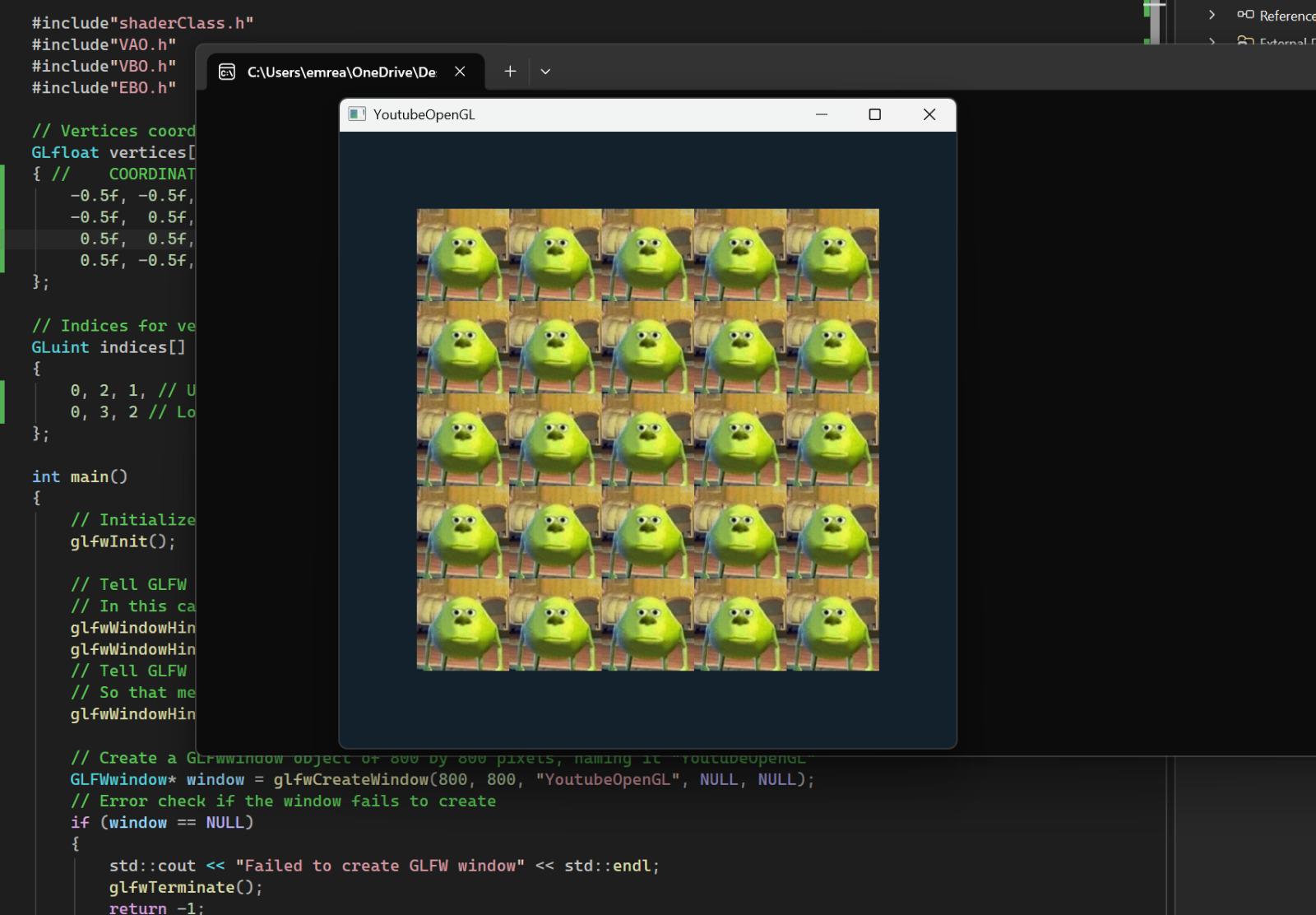
20 f*king days for this mf

Post image
436 Upvotes

So I started learning graphics programing with OpenGL. Here is my progression so far


r/GraphicsProgramming • • Nov 26 '24

Question Data compression as we know it is at it's limit, what's the next breakthrough in data compression supposed to be now?

Post image
435 Upvotes

r/GraphicsProgramming • • Jan 22 '25

WebGPU: Parallax Occlusion Mapping

432 Upvotes

Parallax occlusion mapping + self shadowing + silhouette clipping in webgpu


r/GraphicsProgramming • • May 12 '25

Source code of Atmosphere renderer from my masters theses and a big thank you

Thumbnail
gallery
430 Upvotes

About two weeks ago, I posted a few captures of my atmosphere renderer that is part of my master's thesis. I was amazed by all the excitement and support from all of you, and I am truly humbled to be part of such a great community of computer graphics enthusiasts. Thank you for that.

Many of you wanted to read the theses even though it is in the Czech language. The thesis is in the review process and will be published after I defend it in early June. In the meantime, I can share with you the source code.

https://github.com/elliahu/atmosphere

It might not be very fancy, but it runs well. When the thesis is out, it will be linked in the repo for all of you to see. If you like it and want to support me even more, you may consider starring it, it will make my day.

Again, many thanks to all of you, and enjoy a few new captures.


r/GraphicsProgramming • • Jul 15 '25

How it started vs how it is going

Thumbnail
gallery
426 Upvotes

r/GraphicsProgramming • • Feb 16 '25

Created my first path tracer in C++

Thumbnail
gallery
423 Upvotes

r/GraphicsProgramming • • Jun 20 '25

Video PC heat and airflow visualization simulation

422 Upvotes

Made this practice project to learn CUDA, a real-time PC heat and airflow sim using C++, OpenGL and CUDA! It's running on a 64x256x128 voxel grid (one CUDA thread per voxel) with full physics: advection, fan thrust, buoyancy, pressure solve, dissipation, convection, etc. The volume heatmap shader is done using a ray marching shader, and there's PBR shading for the PC itself with some free models I found online.

It can be compiled on Linux and Windows using CMake if you want to try it out at https://github.com/josephHelfenbein/gustgrid, it's not fully accurate, the back fans are doing way too much of the work cooling and it overheats when they're removed, so I need to fix that. I have more info on how it works in the repo readme.

Let me know what you think! Any ideas welcome!


r/GraphicsProgramming • • May 02 '25

IRL shader bug

Thumbnail
gallery
421 Upvotes

Shader programming humor :D

This is an empty glass with remaining droplets of coke that cause it look like shader bug with negative color output


r/GraphicsProgramming • • Apr 30 '25

Realtime softbody simulation in the browser with WebGPU

420 Upvotes

I built this softbody simulation with three.js' new WebGPURenderer.

You can play with it in your browser here: https://holtsetio.com/lab/softbodies/

The code is available here: https://github.com/holtsetio/softbodies/

The softbodies are tetrahedral meshes simulated with the Finite Element Method (FEM). I was guided by this great project to implement the FEM simulation and then added collision detection using a 3d grid, which works way better than expected. All in all I'm pretty satisfied with how this turned out, it even works smoothly on my mobile phone. :)


r/GraphicsProgramming • • Apr 23 '25

Source Code Finally "finished" my 3D software renderer/editor

419 Upvotes

Hey everyone, just wanted to share this in case it helps anyone, as I finally got my 3D software renderer/editor to be mostly functional.

It is written completely from scratch without relying on external graphics libraries such as OpenGL/Vulkan, as well as external math libraries such as GLM as I have implemented my own.

This was my first and only graphics programming project, and it was made exclusively for learning purposes, as I was always curious about how it worked, so I studied everything from scratch and this is my attempt at making my own.

For this reason, I prioritized intuition and clarity over performance, so it is EXTREMELY slow and relies solely on the CPU. If time wasn't a thing, I would've also implemented CUDA/ROCm calculations, SIMD instructions, and optimized the code in general, but unfortunely I need to take care of other things.

The only "main" thing missing is texturing, but this has already taken so long and I don't even have a job yet, so I chose to give it priority, since most other things are working anyway.

I uploaded it to my GitHub, where there are more video examples on other features and I also extensively described how each part of the renderer works, as well as some of my thought process.

Here is the GitHub repo for those interested: [https://github.com/slins-23/software-renderer](https://github.com/slins-23/software-renderer)


r/GraphicsProgramming • • Aug 27 '26

My first fully Spectral Path Tracer

Post image
417 Upvotes

So, as the title says :D. This took me 4 months of work. It's a HWSS path tracer using OptiX for traversal. I initially used NeuxsBVH (H-PLOC), but then switched over due to speeds on volumetrics. I used Jakob & Hankia sampling for RGB to Spectral.

The above scene was rendered at 1080p with 1024spp, and RR kill-off at 12 bounces.

This was a genuinely fun to build as a hobby project, what else shd I add to this?

There's a paper on flouresence Rendering by Wilkie, Fichet and Mojzik which I'm thinking of implementing. Any suggestions would help!

Edit: Its 32 bounces + 12 bounce RR fall-off


r/GraphicsProgramming • • Dec 22 '24

Video I can now render even more grass

414 Upvotes

r/GraphicsProgramming • • Apr 26 '25 Heart Eyes

Question Hey there y'all had a question

Post image
411 Upvotes

So I want to pregace this really quick I'm somewhat of a beginner programmer I write in c and c++ either or I mostly mess around doing software projects nothing crazy but I've been recently wanting to get into graphics and I bought this book although it's old I wanted to ask if any one read and if they recommend this at all , I know this field is math heavy and so far my highest math knowledge should be about college calc 2 , oh and also do you think it's good for someone who knows nothing at all about graphics?


r/GraphicsProgramming • • Jun 16 '25

Video Zero-Allocation Earcut64: triangulation for small polygons

409 Upvotes

In my previous post I showed that Mapbox Earcut beats iTriangle’s monotone triangulator on very small inputs. That sent me back to the drawing board: could I craft an Earcut variant tuned specifically for single-contour shapes with at most 64 vertices?

  • No heap allocations – everything stays on the stack.

  • One u64 bit-mask to track the active vertex set.

  • Drop-in replacement inside iTriangle.

The result is Earcut64, a micro-optimised path that turns tiny polygons into triangles at warp speed.

Benchmark snapshot (lower = faster, µs):

Star

CountEarcut64MonotoneEarcut RustEarcut C++
80.280.50.730.42
160.641.61.230.5
321.613.92.61.2
644.458.355.63.3

Spiral

CountEarcut64MonotoneEarcut RustEarcut C++
80.350.70.770.42
161.21.41.660.77
324.23.06.253.4
6416.16.218.619.8

Given the simplicity of this algorithm and its zero-allocation design, could it be adapted to run on the GPU - for example, as a fast triangulation step in real-time rendering, game engines, or shader-based workflows?

Try it:


r/GraphicsProgramming • • Aug 05 '25

Computer graphics learning platform

Thumbnail
gallery
408 Upvotes

Our interactive platform (Shader Learning) for learning computer graphics now supports blending, depth testing, and multiple render targets (MRT).

Thanks to these features, we have added a new Advanced Rendering module that includes tasks on topics like Soft Particles, Deferred Shading, HDR, Billboards and etc.

The new module is free. If you are a student, send me a message on Discord to get full access to the entire platform.

Shader Learning already includes a wide range of lessons on water, grass, lighting, SDF and more. All our lessons are grouped into modules so you can focus on the topics you enjoy most.

After completing modules, you can earn an online certificate and share it with verification on our website.


r/GraphicsProgramming • • Oct 22 '26

The raytracer to end all my other raytracers

Thumbnail
gallery
403 Upvotes

I have built several raytrace / pathtrace engines over the years, primarily for my art works. About two years ago I wanted to make something more universal while also switching from webgl to webgpu. So I built a tiny webgpu toolkit and went from there. But I never finished it. And AI came and took away the joy of programming for me. Recently, I decided to try and use Claude to finish it and put in all the features I never got around to (and quite frankly would not even be able to do).

On the use of AI: I'm really ambiguous at the moment. I miss coding myself, AI took the fun away for that. On the other hand, I was able to direct AI to finish this tool that I could have never managed myself. So I'm perfectly fine if you call this AI slop if you want, for me it (the raytraer) is a tool to create new things.

So this is shadytracer. It's a raytracer that creates signed distance functions (SDF) (if you dont know what those are, jump into the rabbit hole here https://iquilezles.org and don't expect ever to come out). In short: every shape is defined by a function that returns the closest distance from any point to the closest surface of that shape.

I really fell in love with SDF's a while back and find it's a really cool method, though it definitely has it's quirks.

Anyway, my raytracer uses SDF's for everything. It has a full editor where you can drag and drop primitives into the scene, move them around, modify them, perform boolean operations etc. Same for more complex stuff like objects created by extrusion, revolve and sweep. All these are converted into SDF's of which the code block is visible and editable. So you can create your own shapes using custom sdf functions as well.

There are various materials defined, again drag and drop into an object. You can easily modify the materials and duplicate them to create your own.

As I'm an optics engineer by education (mostly non imaging optics for lighting), I always wanted a raytracer that is physically correct. Well, reasonably so. Don't use this for camera lens designs.
So every light source has real-life units (luminance or flux in lumens), color temperature or cie x,y color coordinates. And of course, refraction, dispersion, dichroics are part of the game. You can measure illuminance, irradiance, color differences etc.

But you can also just use it to create pretty pictures.

Or videos: there is an animation / timeline editor with keyframes where you can animate the camera or any propety of any element in your scene.

Oh, you can also import stl files and it will try to convert them into signed distance functions after which you can edit those. I find that incredibly cool. Magically, a mesh of triangles is converted to a combination of cubes, cylinders etc, welded together with boolean functions. It only works for fairly geometric shapes and not too complex, but still.

And of course you can export your objects or scenes as stl or 3MF(which includes color) for your 3D printer

There are a lot of examples scenes included, a few of the images in this post are from there.

It's completely open source (MIT license). Runs in your browser, data is stored in your browser's cache. Or you just download yuor project files and store it locally.

Hope you have fun with it. I certainly do.

https://shadytracer.com

https://github.com/lampmaker/ShadyTracer

Oh yes, I asked Claude to create an interactive tutorial about all the techniques that were used. Mostly for my own education. But you can find some explanations about SDFs and stuff. Note, this is AI generated and I have not spend a lot of time (understatement) reviewing it.

https://shadytracer.com/tutorial/

-wrote this whole post without using AI. Feels good-


r/GraphicsProgramming • • Dec 24 '24

Video Optimized my custom gravity system so it can handle 2 million gravity objects easily (on pretty old gtx1650). Made with HLSL Compute shaders + GPU indirect instancing

398 Upvotes

r/GraphicsProgramming • • May 24 '26

Voxel Renderer Update

Thumbnail
gallery
396 Upvotes

I previously made a post on my voxel renderer and got some great feedback.
Here are some updates and some more details of the internals, plus some more screenshots.

The world is simply colored cubes all of a consistent size. I don't have textures yet but would like to add them. I can't see texturing will have any performance impact. The world is divided into clusters where each cluster is up to 1024^3. Clusters are subdivided into subclusters to allow for finer culling but the data is such that I can render all subclusters in a cluster in a single draw call.

To render these cubes I have quite a few techniques. Only 3 were worth taking further.
I can specify a technique for close clusters and one for far as some of the techniques fair better up close or far away.

A simple way is a triangle mesh. A raw triangle mesh does not perform that well but I have a reduced version which greedily merges faces together and atlasses colors. I generally dont have hard normals to reduce vertices and reconstruct the normal in the shader via cross(ddx(pos), ddy(pos). This allows a cube to be stored using 8 vertices rather than 24.
I decided to move away from this as it requires pre processing and I want everything to be dynamic.

Another way is via points only. I have a variety of techniques that use points (including tri mesh drawing) as the data is quite compact.

A point is X,Y,Z, Col, VisMask, AO[6].
X,Y,Z are all 10 bit as they are relative to the cluster origin. Col is 24 bit RGB, Vismask is 6 bit and says which face is visible. If you put two cubes together the faces touching will have their vismask bit set to zero. Finally AO is 6 bytes which describes the AO for each face. So 12 bytes. I want to get rid of AO and do it dynamically as this is currently half the data. Using less that 8 bits is also an option.

To render these points as cubes I do.

Billboard (both quad and tri). VS will expand a billboard at the point. PS will do slab tests to determine which face of the cube pixel is in and draw accordingly.

HexSprite. VS will generate 6 tris, 2 for each visible face.

Splat + Dilate
Draw as a point using a point list. Fullscreen shader afterwards will do a 2D search for these points and reconstruct the cube face from that data. If multiple hits use the closest depth.

The current demo uses hexsprite up close and splat+dilate far away as these share the same data.
Hexsprite is typically around 1.0ms when close to the data and basically zero in the air. Merged trimesh is quicker (around 0,5ms) but requires its own data.

The other great thig about this hexsprite + splat is I only store the point data listed earlier (12 bytes). No index buffers are needed at all now.

Lighting is quite simple. Directional sunlight with shadow map. Shadow map is slow but is only updated when needed. Lots of optimisations to do here. Ambient is simple ambientcube with AO applied. We have depth and exponential height fog. In post we have a TAA pass just using reprojections using depth. Finally tonemapping and sharpen filters.

Current demo now runs in about 7ms in the worse case with 100 worlds. 3ms with a single world. (5070 Laptop)
LOD0 is 44MB on disk and expands to 102MB of GPU memory.
LOD3 is 1.2MB on disk and 3MB of GPU memory.
Current estimate is I can get the 102MB down to about 50MB with some better compression when moving to GPU driven rendering. This is just the world data and not render targets which are a function of display rez.


r/GraphicsProgramming • • May 13 '25

Implemented my first 3D raycasting engine in C! What can I do to build on this?

396 Upvotes

This is my first game and I've really enjoyed the physics and development! Except for a small library for displaying my output on a screen and a handful of core C libs, everything is done from 0.

This is CPU-based, single-thread and renders seamlessly on most CPUs! As input the executable takes a 2D map of 1s and 0s and converts it into a 3D maze at runtime. (You can also set any textures for the walls and floor/ceiling from the cmd line.) Taking this further, I could technically recreate the 1993 DOOM game, but the core engine works!

What I want to know is whether this is at all helpful in modern game design? I'm interested in the space and know UNITY and Unreal Engine are hot topics, but I think there's lots to be said for retro-style games that emphasise dynamics and a good story over crazy graphics (given the time they take to build, and how good 2D pixel art can be!).

So, any feedback on the code, potential next projects and insights from the industry would be super helpful :)

https://github.com/romanmikh/42_cub3D


r/GraphicsProgramming • • Jan 28 '25

Github Code and Bachelor's Theses (link in the comments)

396 Upvotes

r/GraphicsProgramming • • Jan 25 '25

Question What is it called when a light source causes this rainbow effect?

Post image
395 Upvotes

r/GraphicsProgramming • • Aug 07 '26

Video I added viewport clipping to my software renderer

390 Upvotes

I thought it would be cool to try to figure out how to do triangle clipping myself, to come up with my own algorithm. To solve this, I solved a couple of linear equations and derived a formula that lets me find the intersection points between the triangle edges and the viewport. I don't know if I came up with something original or just accidentally reinvented one of the existing methods. Either way, my solution looks terrible in code, but it works, and I think it's a great learning experience

I render this at 1920x1080 resolution on a single thread of an i5-9400F, is this a good FPS result? I didn't use SIMD, but I tried to use every optimization trick I know.

repo and code: https://github.com/NaiNameDev/software_rasterizer


r/GraphicsProgramming • • Mar 18 '26

Video I made a triangle rasteriser on an FPGA

390 Upvotes

I’ve been working on this hardware accelerator over the past few months for my master thesis. The triangle rasteriser is implemented on the FPGA Fabric of the Zedboard. It communicates with the ARM A9 cpu via AXI.

The rasteriser can render up to 60k 1000px triangles per second 2k to achieve 30 FPS. Supports Gouraud shading and texture mapping without perspective correction. The demo scene consists of 6k triangles and along with the vertex transformation, achieved around 29fps average.

What do you think of it? Any good techniques to cut down on the calculations or the number of triangles rasterizer?

I am currently throwing out every triangle that has too small of an area and also culling.

Github Link: https://github.com/Nanousis/ChaosEngineGPU