r/AndroidHomescreen • u/shein_kt • Aug 23 '20
Blue nebula.

139
Upvotes
r/AndroidHomescreen • u/Lazy-Strategy8757 • Jun 26 '26
r/AndroidHomescreen • u/Deez2028 • 7d ago
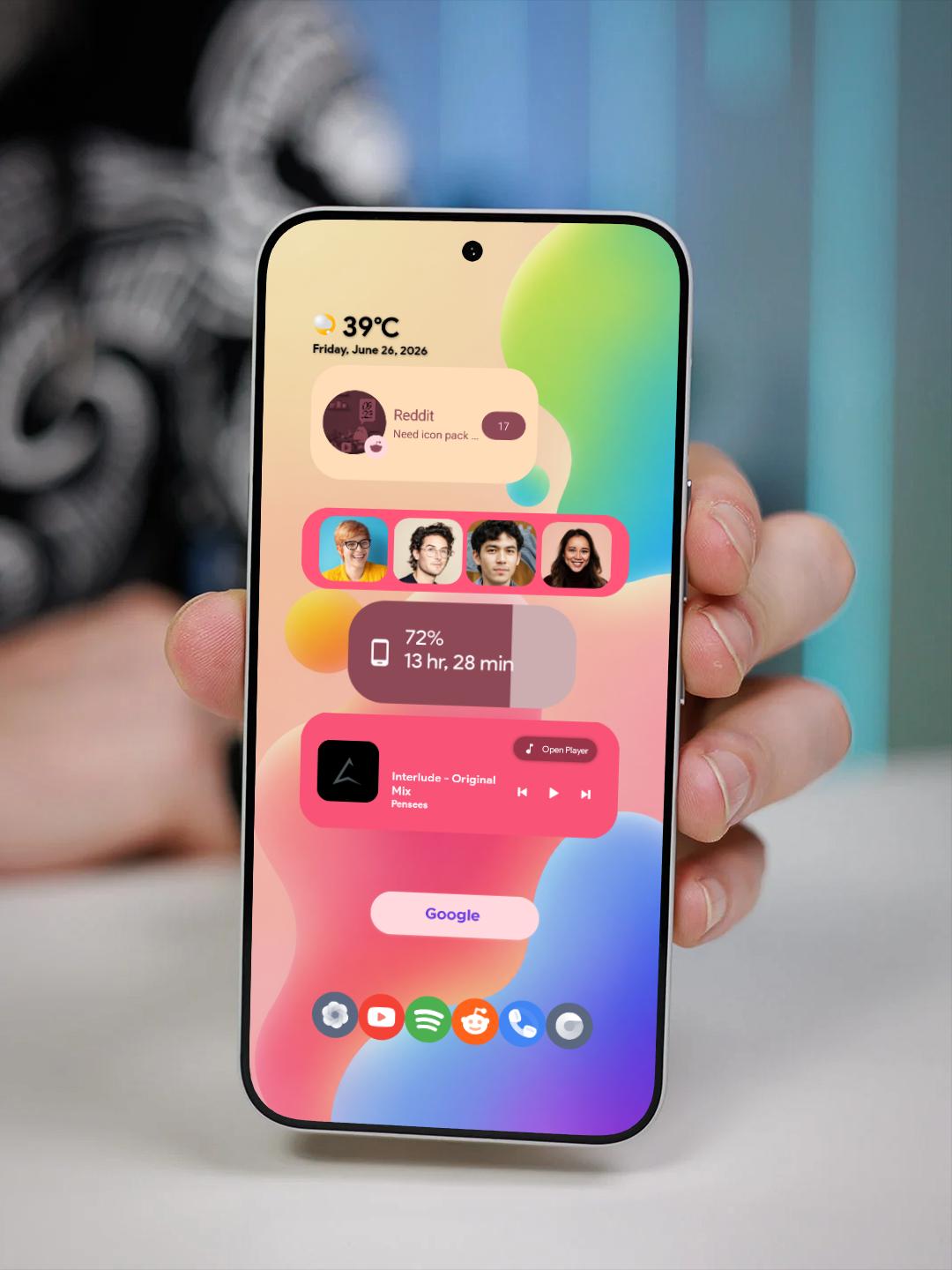
What You Need:
KWGT (pro version)
https://play.google.com/store/apps/details?id=org.kustom.widget
Wallpaper
https://drive.google.com/file/d/1SX5YzYQg0xba-sB8nln6ENdDK17MXdNe/view?usp=drivesdk
Icon Pack studio (icon name= Blackons)(Hex code= FF002E41)
https://play.google.com/store/apps/details?id=ginlemon.iconpackstudio
Folder Widget (Pro version)
https://play.google.com/store/apps/details?id=pub.hanks.appfolderwidget
Clock widget
https://drive.google.com/file/d/1yaAdp8qiKfEhchM_hhDXAGXOTIC1xSRT/view?usp=drivesdk
Music Widget
https://drive.google.com/file/d/16XsYxvRXGoNxmZXKBr3Lu5PSFEOaIcHo/view?usp=drivesdk
Calender Widget
https://drive.google.com/file/d/1WRAo4jslHz9tkVP3E51adLOP06uzsqdi/view?usp=drivesdk
r/AndroidHomescreen • u/ReDNiRaH- • 10d ago

Launcher: One4home
Honestly it's one of the best launchers I've tried. Fairly new but gets updated almost every other day.
r/AndroidHomescreen • u/sam_jonas • Apr 16 '25

r/AndroidHomescreen • u/outtiefive • Aug 05 '26
Phantom Shell works kind of like having a command line for your phone. Instead of digging through menus or tapping a bunch of icons, you just type what you want to do. If you type an app’s name, it opens. If you add a search after it, it’ll search inside that app—for example, typing “YouTube GTA 6” opens YouTube with GTA 6 already searched.
It can also search Google, Amazon, Reddit, Maps, the Play Store, Instagram, and other services just by typing a command. You can call or text people, manage contacts, create folders, take notes, set reminders, timers, alarms, and even do math without opening separate apps.
You can even make your own commands using keyboard shortcuts. So if you always search Google, you could make “G” mean Google, and then typing “G weather” would instantly search Google for the weather. You can also customize buttons, folders, and shortcuts so the launcher works the way you think.
It even has system tools built in, like checking battery, RAM, storage, clipboard history, toggling the flashlight, muting your phone, managing permissions, and launching apps by package name if you’re into more advanced stuff.
Basically, it’s designed so almost everything you normally do by tapping around your phone can be done by typing a quick command instead. Once you get used to it, it’s often much faster than using a traditional home screen.
You can check it out on Google Play
r/AndroidHomescreen • u/Menu-Superb • May 07 '26

r/AndroidHomescreen • u/Edvinlol • Oct 04 '20

r/AndroidHomescreen • u/kushjain94 • Sep 22 '20

r/AndroidHomescreen • u/Menu-Superb • Jun 13 '26

r/AndroidHomescreen • u/aquelegajoalto • 13d ago
Olá!
I'm a solo dev. I launched brute about a month ago, and the reception has been great. So this is an update, after a lot of feedback and a pretty active Discord. If you missed it: brute is a minimal Android launcher built around a tile grid.
Features
- Home screen of tiles, organised into groups, with supertiles for weather, clock, music, calendar and more
- Universal search: apps, contacts, settings and the web in one bar
- Deck: a page for your widgets, including normal Android ones
- Feeds: an RSS reader with full articles and on-device translation, no endless scroll
- Wellbeing: screen time per app, a pause before you open the apps you ration, and any app in greyscale
- Deep theming: fonts, colours, corners, wallpapers, day and night palettes. Export your look as a file and share it
- The week: a weekly look at your screen time, and whether the apps you ration actually went down
- Lock an app: opening it asks for your fingerprint or PIN, also when it comes from a notification or the recents list. It's a speed bump for you, not a vault
Good to know
- Free. The Pro unlock is a one-time purchase, no subscription
- No analytics, no account, no ads
- Much of brute's code was written with AI coding assistants. I direct it, review it and use it as my daily launcher
- We've passed 2,000 installs!
Giveaway: 30 Pro codes.
Comment and upvote, and I'll DM you one while they last. If you end up liking it, a Play Store review helps a solo dev more than anything else.
Play Store: https://play.google.com/store/apps/details?id=com.brute.launcher
Site: https://brute.fyi
Discord: https://discord.gg/q92FXAFErt
r/AndroidHomescreen • u/Bro8302 • Oct 22 '26

If you love hyprland, you should try hyprtile on your phone..
r/AndroidHomescreen • u/Typical_Doughnut_311 • Jun 04 '26
Show me your lockscreen


